v2.1.0 Released — Hybrid Drift SQLite + Supabase Sync is now live.
Release Notes
Fit Host Logo
FITHOSTFitness & Wellness
Back to All Guides
Getting Started
4 min readUpdated October 19, 2026

Getting Started with Fit Host

A complete walkthrough of installing Fit Host, setting up your profile, and logging your first session either as a guest or with a cloud account.

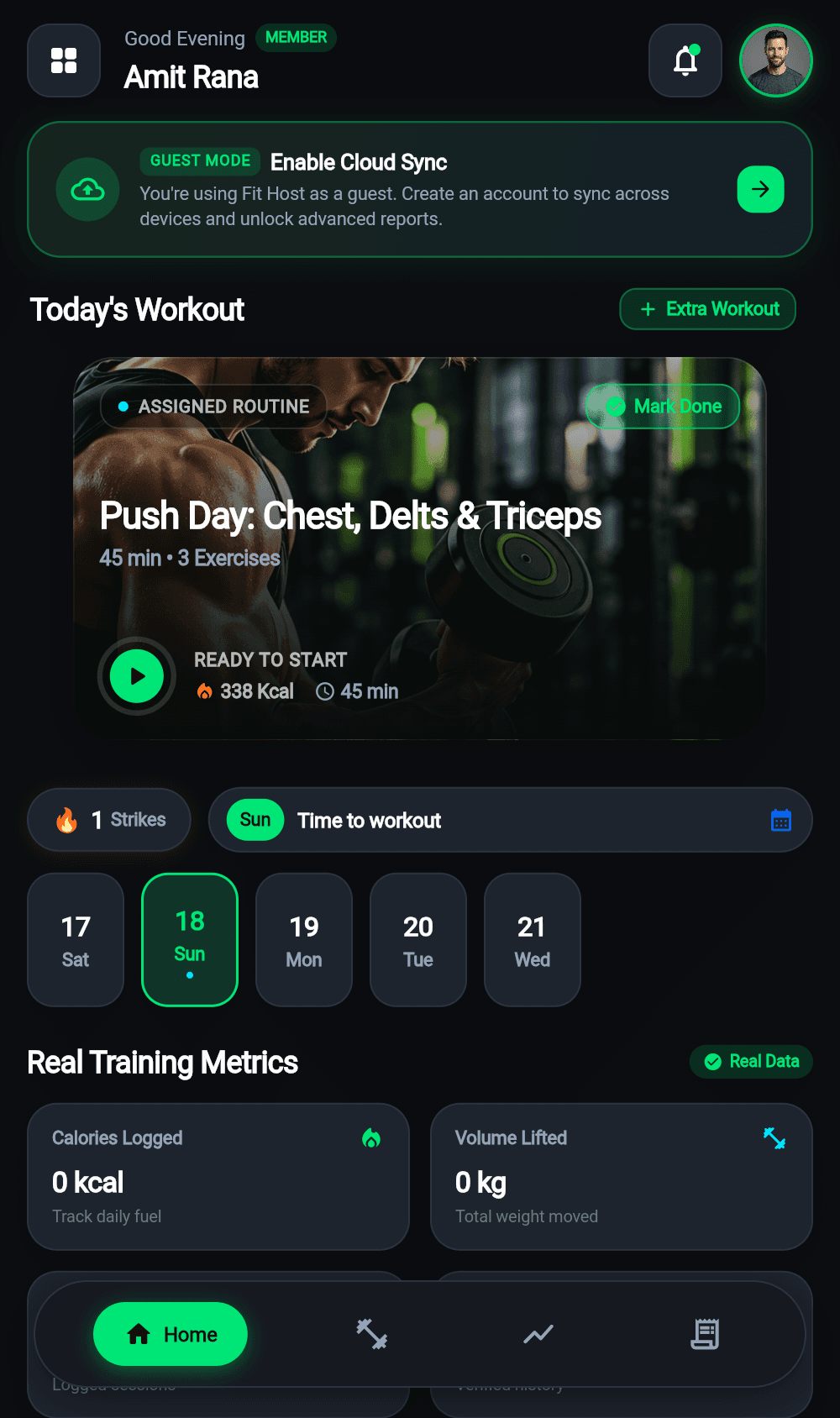
Getting Started with Fit Host preview

Mobile interface reference for Getting Started with Fit Host

Key Takeaways

  • No account required to start tracking.
  • All logs save locally to your device first.
  • Cloud backup can be activated at any time.

Step-by-Step Instructions

01

Install and Open the App

Launch Fit Host on your Android or iOS device. The app opens immediately into a clean, dark-mode welcoming interface.

02

Choose Guest Mode or Sign Up

You can tap 'Continue as Guest' to start logging instantly without entering any personal info. Or tap 'Create Account' using your email or Google OAuth to enable continuous cloud backup.

Pro Tip: Guest data stays securely on your phone. You can always create an account later and merge your history.
03

Configure Your Fitness Goals

Set your target daily hydration (e.g. 2,500ml), daily calorie goal, and preferred workout reminder schedule.

04

Explore the Home Dashboard

Your Home tab displays today's workout prompt, hydration progress circle, recent activity feed, and quick-action shortcuts.

Related Guides

Workouts5 min read

How to Log Workouts and Exercise Sets

Master the Fit Host workout logger: choose disciplines, track sets with weights and reps, use the built-in rest timer, and save detailed workout summaries.

Takeaway

10 dedicated disciplines with rich exercise categorization.

4 practical stepsRead Guide
CURRENT BUILD: v2.1.0 • OCTOBER 2026

Ready to Train Without Limits?

Fit Host is a dedicated mobile application for iOS and Android. Experience sub-millisecond offline workout logging, accurate macro tracking, and two-way cloud sync.

Download Android APK44.2 MB
App Store
Coming Soon
Google Play
Coming Soon
100% Free to Use Offline Drift SQLite Storage Zero Forced Advertising
Official store listings are currently being prepared for App Store and Google Play. You can install the verified Android Release APK today.