v2.1.0 Released — Hybrid Drift SQLite + Supabase Sync is now live.
Release Notes
Fit Host Logo
FITHOSTFitness & Wellness
Back to All Guides
Getting Started
3 min readUpdated October 18, 2026

Guest Mode vs. Cloud Account: Which Should You Choose?

Understand the differences between local-only guest storage and Supabase cloud synchronization, and how account linking seamlessly preserves your history.

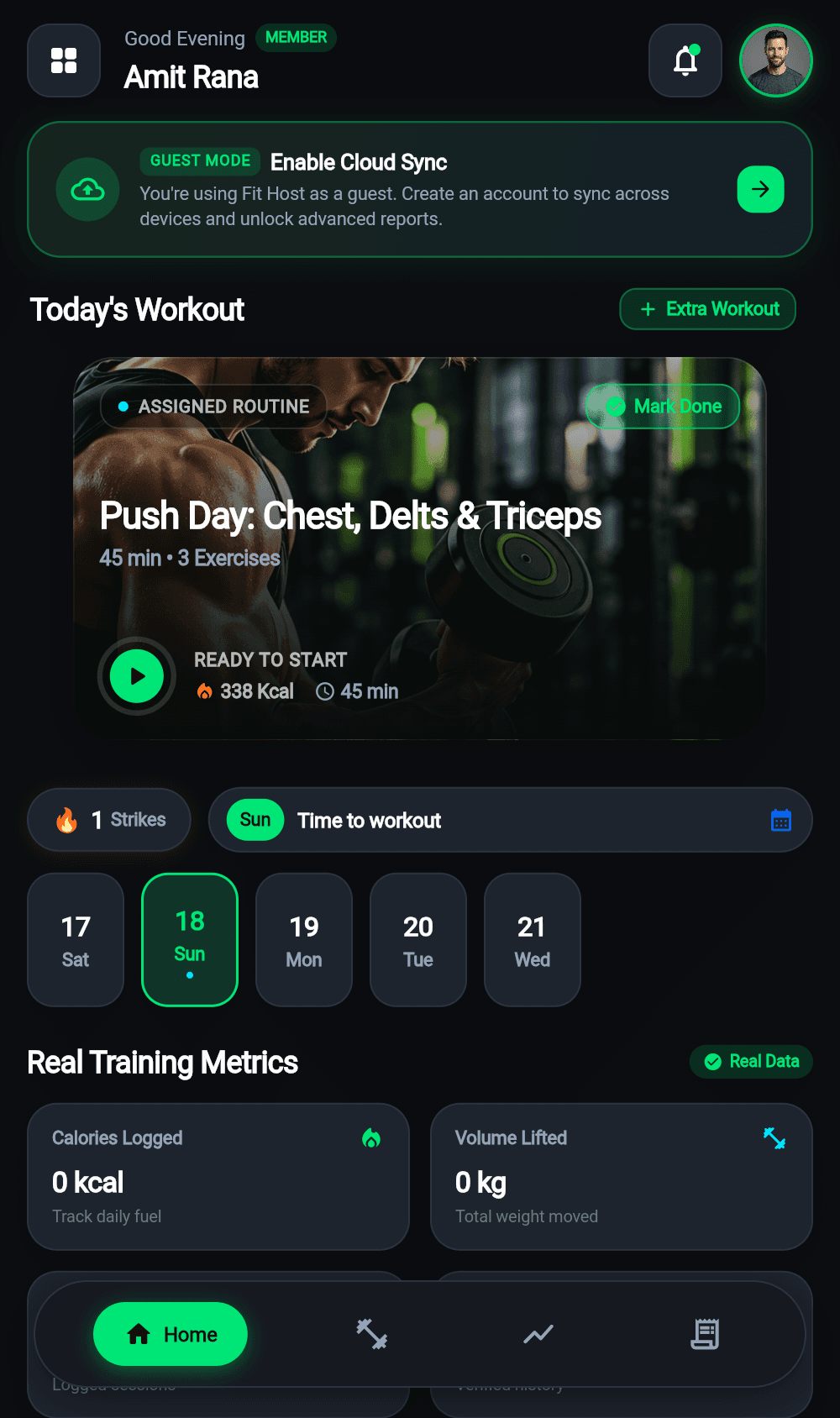
Guest Mode vs. Cloud Account: Which Should You Choose? preview

Mobile interface reference for Guest Mode vs. Cloud Account: Which Should You Choose?

Key Takeaways

  • Guest mode is 100% private and offline-contained.
  • Cloud accounts provide multi-device sync and disaster recovery.
  • Automatic data migration guarantees zero data loss upon upgrading.

Step-by-Step Instructions

01

Understanding Guest Mode

Guest mode writes directly to the embedded Drift SQLite database on your device. It requires zero network connectivity and zero credentials. However, if you uninstall the app or clear device storage, local data cannot be restored.

02

Understanding Cloud Accounts

When you register with email/password or Google OAuth, Fit Host assigns you an authenticated Supabase UUID protected by PostgreSQL Row Level Security (RLS). All workouts, hydration logs, and profile metrics are backed up to the cloud in real-time.

03

Upgrading from Guest to Cloud Account

If you start as a guest and decide to sign up later, Fit Host automatically checks your local Drift database and migrates all existing records to your new cloud account so you never lose a set.

Related Guides

Getting Started4 min read

Getting Started with Fit Host

A complete walkthrough of installing Fit Host, setting up your profile, and logging your first session either as a guest or with a cloud account.

Takeaway

No account required to start tracking.

4 practical stepsRead Guide
CURRENT BUILD: v2.1.0 • OCTOBER 2026

Ready to Train Without Limits?

Fit Host is a dedicated mobile application for iOS and Android. Experience sub-millisecond offline workout logging, accurate macro tracking, and two-way cloud sync.

Download Android APK44.2 MB
App Store
Coming Soon
Google Play
Coming Soon
100% Free to Use Offline Drift SQLite Storage Zero Forced Advertising
Official store listings are currently being prepared for App Store and Google Play. You can install the verified Android Release APK today.