




v2.1.0 Released — Hybrid Drift SQLite + Supabase Sync is now live.
Release Notes
Fit Host Logo
FITHOSTFitness & Wellness
THE MOBILE FITNESS ENGINE • v2.1.0

Train Harder.
Log Faster.
Command Your Progress.

Fit Host is the high-velocity mobile fitness app for Android and iOS. Log heavy sets, monitor daily hydration, track macro nutrition, and synchronize seamlessly across devices—all with 100% offline-first reliability.

100% Offline-Capable Drift SQLite Engine No Account Required
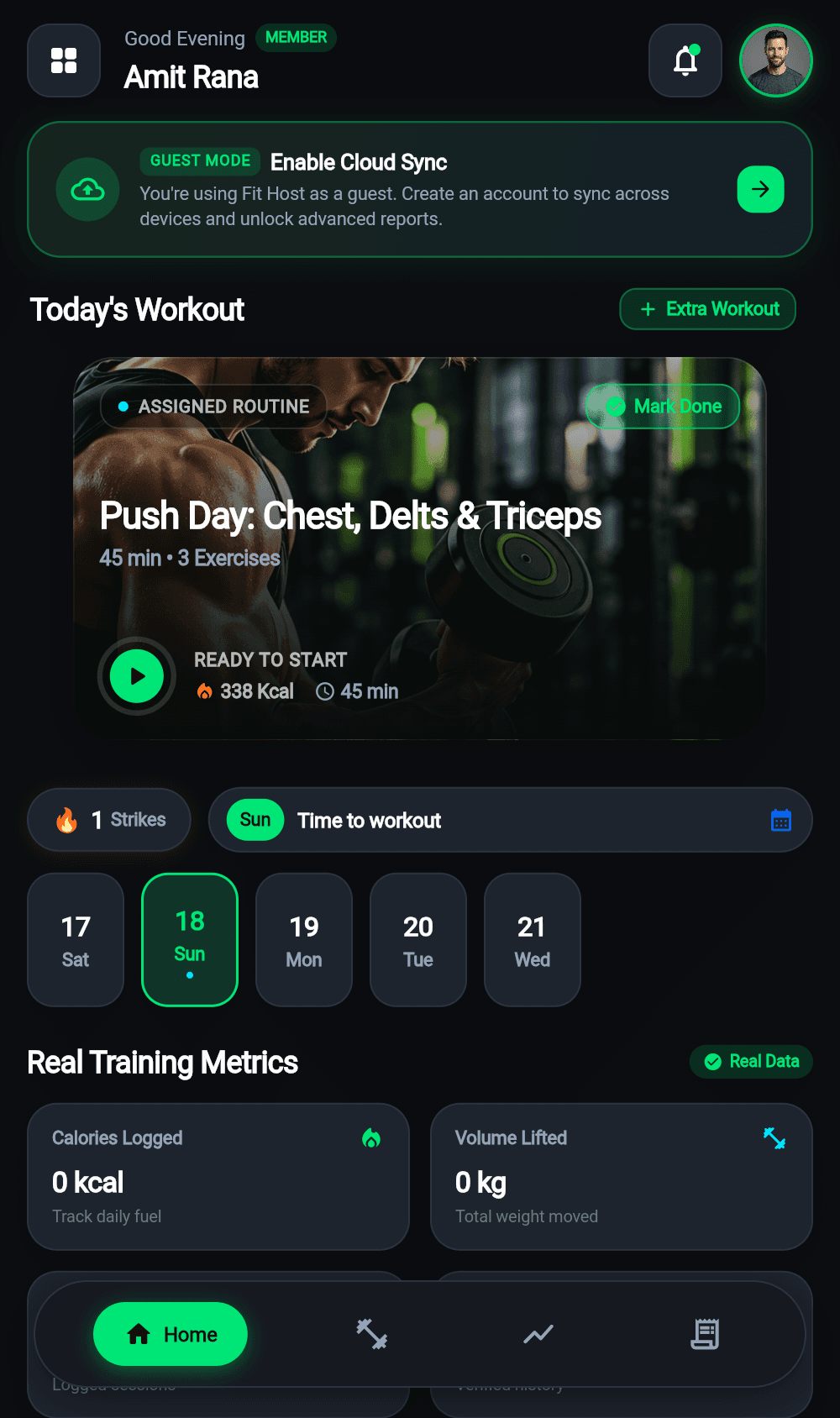
Fit Host Mobile Home Screen with Workout Quick Actions
v2.1.0 Android & iOS

Fit Host mobile home screen with today's workout prompt and live hydration gauge.

Engineered for Performance

Why Serious Athletes Choose Fit Host

Traditional fitness apps freeze without internet and lock basic logs behind paywalls. Fit Host gives you pure, uninterrupted speed.

Zero Network Lag

100% Offline-First Engine

Log full workouts in basement gyms or airplane mode. An embedded Drift SQLite engine ensures zero-latency interactions without depending on cellular signal.

Dual-Layer Cache

Instant Supabase Cloud Sync

When connection returns, pending records sync automatically to PostgreSQL with Row Level Security (RLS) guaranteeing strict personal isolation.

Instant Onboarding

No-Barrier Guest Mode

Download and begin tracking immediately without entering personal info. When ready, upgrade seamlessly to cloud backup without losing a single logged set.

Holistic Health

Integrated Macro & Water Tracking

A complete daily wellness suite. Balance hydration with 1-tap volume presets and log protein, carbohydrates, and fats alongside training volume.

Visual Showcase

See Fit Host in Action

Real Flutter mobile interfaces captured directly from device execution. Zero mockups, zero distortion.

Fit Host Workout Logger Screen

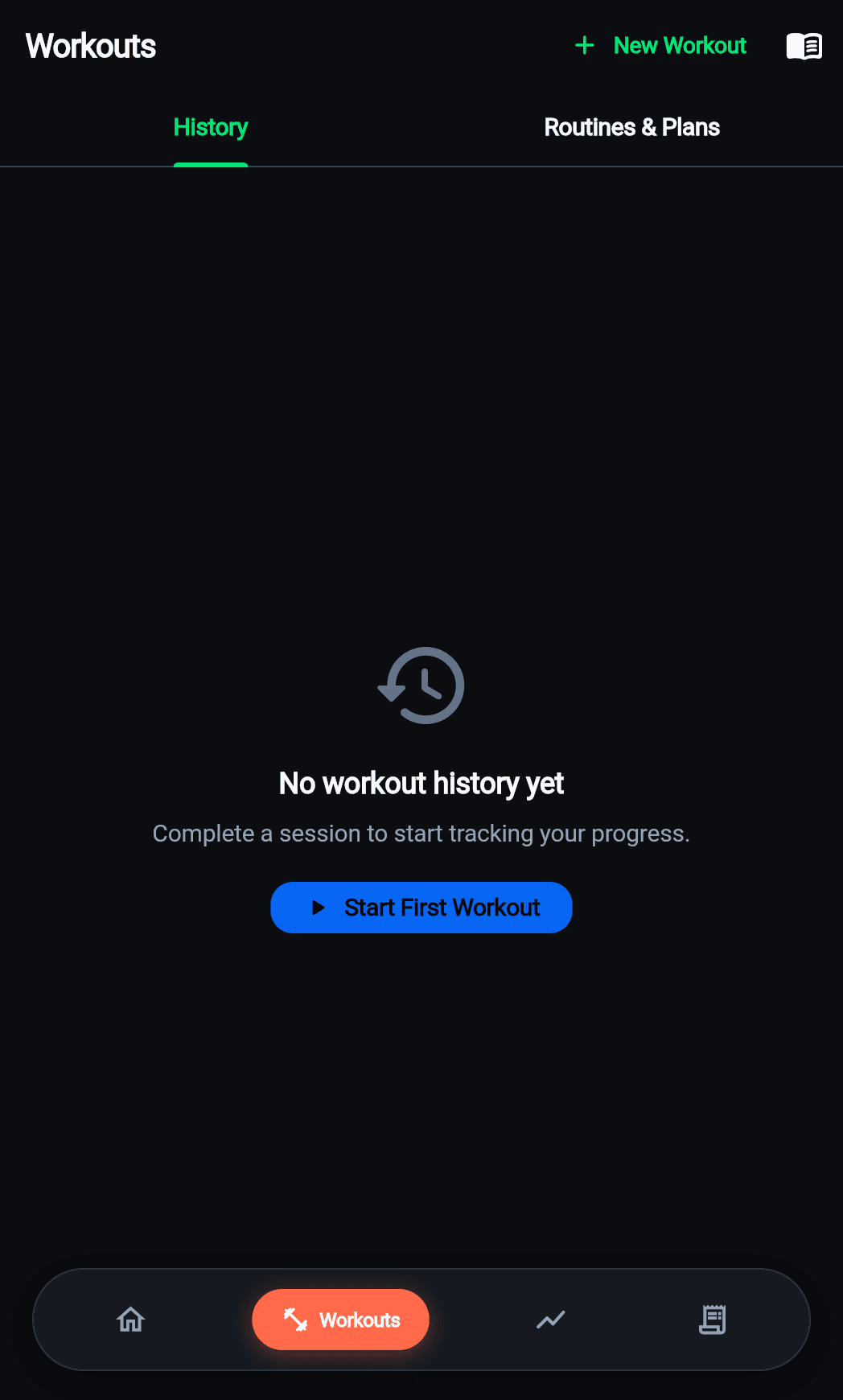
Detailed set-by-set logging with exercise selection and rest timer.

Feature 01 • Active Training

Log Every Rep, Weight, and Set Without Friction

Open any of the 10 categorized disciplines and jump right into your training. Track weights in kilograms or pounds, check off completed sets with one tap, and rely on the automatic rest countdown to maintain workout intensity.

  • Automatic set volume and total exercise tonnage aggregation.
  • Audio cues and gentle haptics on rest timer expiration.
  • Immediate persistence to local SQLite—never lose a set if battery drops.
Feature 02 • Daily Recovery

Master Your Macro Balance & Water Intake

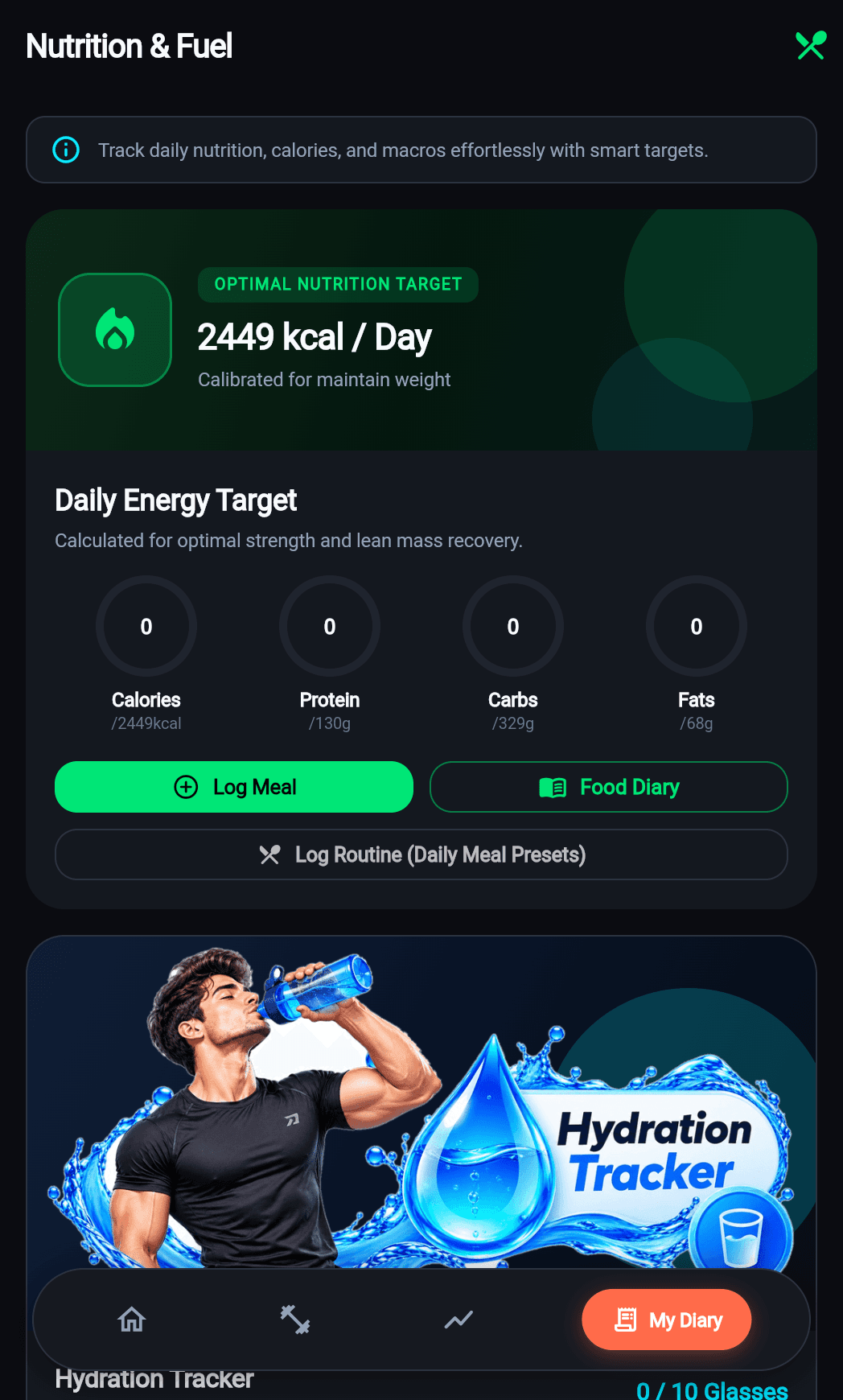
Exercise is only half the battle. Fit Host equips you with high-contrast macro breakdown bars for protein, carbohydrates, and fats, plus quick 1-tap hydration buttons so you stay properly fueled and hydrated.

  • Instant 250ml, 500ml, and 750ml quick-add hydration buttons.
  • Visual circular progress rings showing daily percentage achieved.
  • Calorie target gauges with surplus / deficit indicators.
Fit Host Macro Nutrition Screen

High-contrast macronutrient balance and daily calorie budget.

Fit Host Progress Analytics Screen

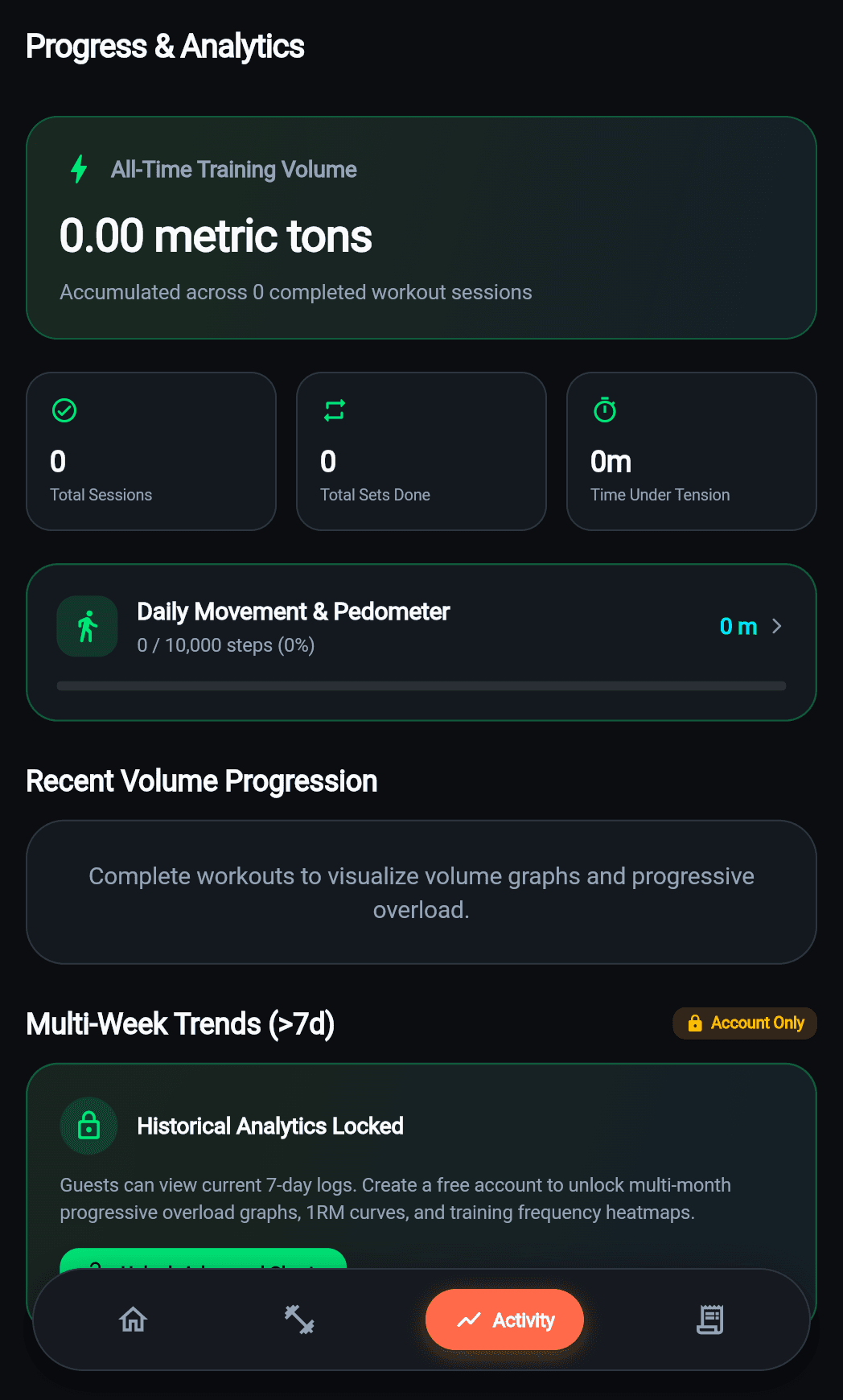
Historical training logs with daily volume charts and consistency streaks.

Feature 03 • Analytics

Inspect Trends. Celebrate Personal Bests.

Review your training journey with chronological workout timelines and weekly volume distributions. Every set logged in the app feeds into accurate performance curves so you can break plateaus.

  • Multi-day training streaks and total sessions completed.
  • Volume trends by individual muscle groups and movement types.
  • Multi-device synchronization restores full history across phones.
10 Core Disciplines

Built for Every Training Style

Whether you are hitting heavy squats, chasing a 5K running goal, or practicing mobility, Fit Host supports your methodology.

Strength

Strength

Compound barbell & dumbbell lifts

Bodyweight

Bodyweight

Calisthenics & core control

Cardio

Cardio

Aerobic conditioning & intervals

HIIT

HIIT

High intensity interval sets

Chest

Chest

Targeted pectoral development

Back

Back

Lats, traps & posterior chain

Arms

Arms

Biceps, triceps & grip power

Legs

Legs

Quads, hamstrings & calves

Abs

Abs

Isometric core stability

Yoga

Yoga

Mobility, balance & recovery

Quick Start

How to Get Started in 4 Easy Steps

From installation to logging your first workout, here is the exact mobile workflow.

01

Install Fit Host

Download the verified Android APK or install from the app store when available.

02

Choose Guest or Account

Test immediately in Guest Mode or register with email OTP / Google OAuth for cloud backup.

03

Log Your Workout

Select your discipline, enter weights and reps, and use the rest timer between sets.

04

Review & Sync

Saved instantly to Drift SQLite. Synchronizes automatically to PostgreSQL when online.

Latest Release

What's New in Fit Host

View Full Changelog
v2.1.0Latest Release

Online-First Cloud Sync, Google OAuth & Realtime Drift Cache

A landmark release introducing two-way Supabase cloud synchronization, Google One-Tap/OAuth authentication, 6-digit email OTP login, and a dual-layer local Drift cache for complete offline performance.

FeaturesArchitectureImprovements
Key Highlights
  • Dual-layer data architecture: Fast local Drift SQLite reads with instant Supabase cloud synchronization when online.
  • Google One-Tap and OAuth login with seamless native callback support (io.supabase.fithost://login-callback).
  • Email OTP 6-digit verification code workflow for passwordless account confirmation.
4 improvements • 4 fixesRead Release Notes
Knowledge Base

Educational Guides & Tutorials

Step-by-step guides explaining how to use Fit Host features effectively.

All 8 Guides
Getting Started4 min read

Getting Started with Fit Host

A complete walkthrough of installing Fit Host, setting up your profile, and logging your first session either as a guest or with a cloud account.

Takeaway

No account required to start tracking.

4 practical stepsRead Guide
Workouts5 min read

How to Log Workouts and Exercise Sets

Master the Fit Host workout logger: choose disciplines, track sets with weights and reps, use the built-in rest timer, and save detailed workout summaries.

Takeaway

10 dedicated disciplines with rich exercise categorization.

4 practical stepsRead Guide
CURRENT BUILD: v2.1.0 • OCTOBER 2026

Ready to Train Without Limits?

Fit Host is a dedicated mobile application for iOS and Android. Experience sub-millisecond offline workout logging, accurate macro tracking, and two-way cloud sync.

Download Android APK44.2 MB
App Store
Coming Soon
Google Play
Coming Soon
100% Free to Use Offline Drift SQLite Storage Zero Forced Advertising
Official store listings are currently being prepared for App Store and Google Play. You can install the verified Android Release APK today.
Got Questions?

Frequently Asked Questions

Clear answers regarding mobile installation, offline capabilities, privacy, and account synchronization.

Q:Is Fit Host a web application or a native mobile app?

Fit Host is a native mobile application engineered with Flutter for Android and iOS. This website is the official product launch and update portal where you can find download links, version releases, setup guides, and support.

Q:Can I use Fit Host offline without an active internet connection?

Yes. Fit Host was architected with an offline-first foundation. All workouts, hydration logs, and settings write immediately to an embedded Drift SQLite database on your device. When internet connectivity is available, changes automatically synchronize to Supabase cloud storage.

Q:Do I have to create an account to test or use Fit Host?

No. Fit Host offers a complete Guest Mode. You can log exercises, track water, and explore all workout categories immediately without creating an account or providing an email address. If you choose to sign up later, all your existing guest records automatically migrate to your cloud account.

Q:How does cloud sync protect my personal health data?

Cloud data is stored in PostgreSQL and governed by Supabase Row Level Security (RLS) policies. Only your verified authentication token can read or modify your data. Service-role privileges are never exposed to clients, and your workout data is never monetized or shared.

Q:Where can I download Fit Host today?

You can download the verified Android Release APK directly from this website. Official Apple App Store and Google Play Store listings are currently in preparation.

Need further assistance? Visit our Support Center or email us at support@amitrana.tech.